
How to use your Swift card
Using your Swift card
You can use Swift across the West Midlands, but where you can travel depends on what ticket you have on your card.
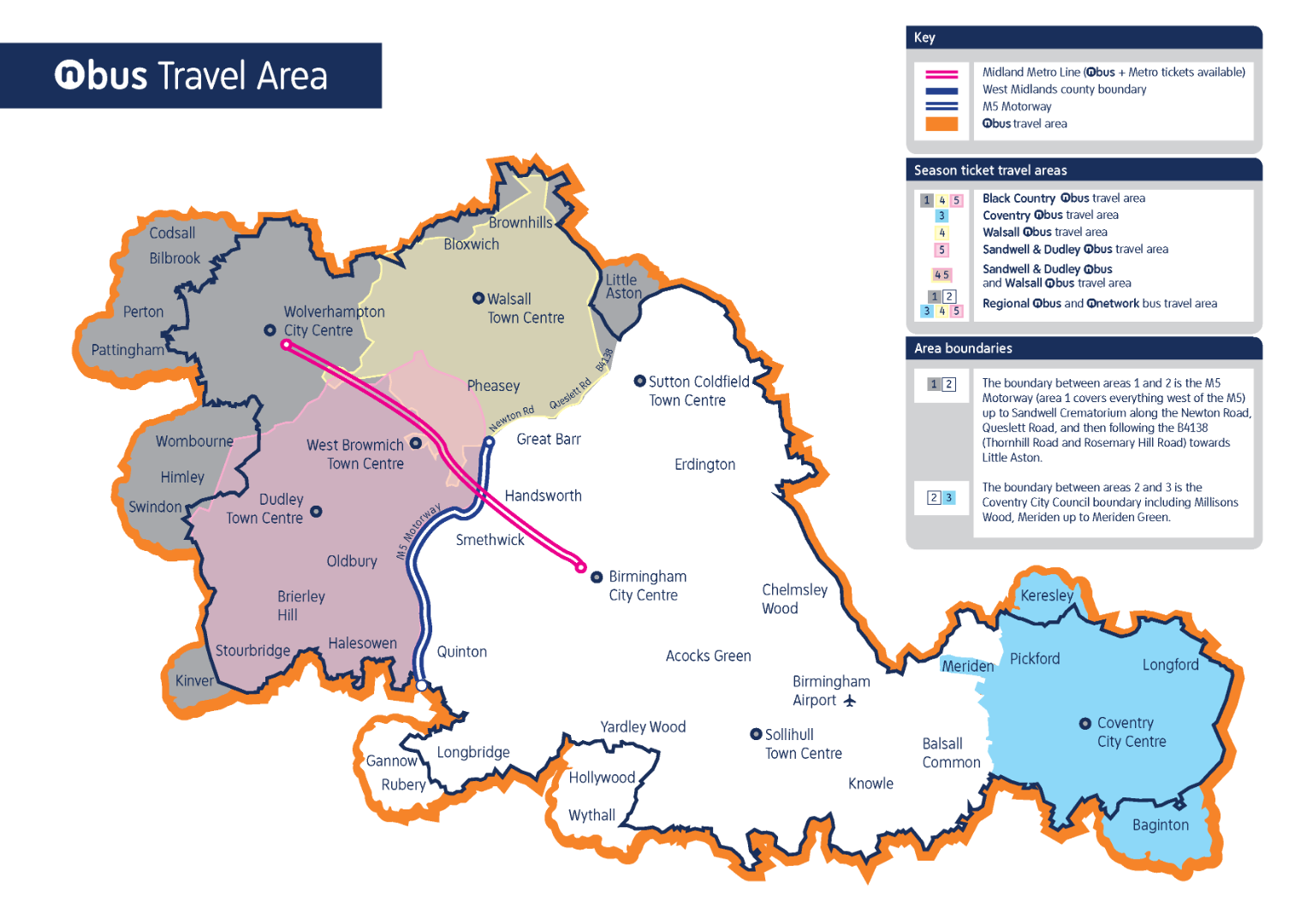
The ticket you need on your Swift card will depend where you want to travel. To work out what ticket you need you can:
Keep your Swift card separate from other cards so the reader doesn’t scan a contactless bank card by mistake.
Registering your Swift card
If you bought a Swift card from a Swift or Metro Ticket Machine, you should register it. Doing this means you can:
- top it up online
- renew a ticket
- replace it without losing any credit if it gets lost or stolen
How to register a Swift card:
- Sign in to your Swift account or create a new account
- Once signed in, select ‘Add a Swift card to my account’ under account options
- Follow the on-screen instructions
Collecting a new ticket to your Swift card
If you’ve bought a ticket or topped up your Swift card, you need to activate or collect the new credit before you can use it.
You can collect using:
Visit how to buy and top up with Swift to find out more.
Using your Swift card on public transport
You can use your Swift card on most buses, but some depend on whether you're using a season ticket or pay as you go. Check with the bus operator to make sure you can use your card on the bus you need to take.
When you get on the bus, tap your Swift card on the reader and show any other travel discount card you have to the driver. You might need to show your Swift card at any point in your journey if a conductor wants to check it.
Only Swift cards with season tickets work on trains – Swift pay-as-you-go cards are not accepted. You might need to show your Swift photocard during your journey. You might also need to show a travel discount card if you have one. At some rail stations, you need to tap your Swift card on a reader at the barriers when you go in or out of the station.
If you’re using pay-as-you-go Swift card, you’ll need to buy the ticket from the conductor on the tram. You may be asked to show your card at any time if a conductor wants to check it.
Refunds
If your card is registered, you may qualify for refunds in certain valid situations (subject to a fee).
Refunds may be issued if there is a valid reason for the request and are subject to an admin fee as long as your Swift card is registered. Visit the get a refund or compensation webpage for more information.
Replace a lost or stolen Swift card
Lost or stolen swift cards can be replaced so long as the Swift card is registered and there is an existing product on the card with more than 7 days remaining.
Replacement cards can take up to 5 working days to arrive depending on the post. Visit the replace a lost or stolen ticket or pass webpage to find out more.